 +88 01730495650





BenQ Interactive Flat Panel Price in BD
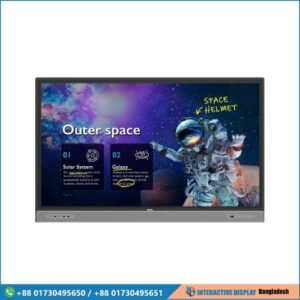
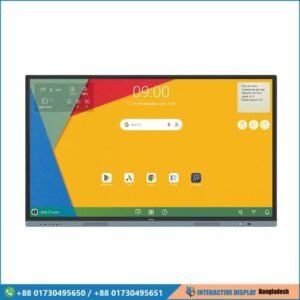
Discover the most competitive BenQ interactive flat panel price in BD at Interactive Display BD. As digital transformation accelerates across education and enterprise sectors in 2026, BenQ interactive flat panels have set the benchmark for collaborative technology in Bangladesh. From interactive classrooms to high-level corporate boardrooms, our collection of BenQ smart boards delivers 4K UHD clarity, ultra-responsive touch capabilities, and built-in computing power.
The BenQ interactive display price in Bangladesh starts from BDT 75,000৳ for modular display accessories and entry-level touchscreens, ranging up to BDT 740,000৳ and above for premium enterprise-grade flat panels. Whether you are looking for an affordable BenQ RE series display, a balanced RM series smart board, or the flagship RP series with advanced air quality monitoring, we provide authentic products backed by official warranties, nationwide delivery, and professional on-site installation.
Showing all 7 results
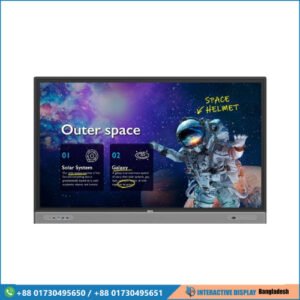
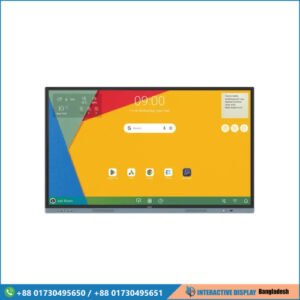
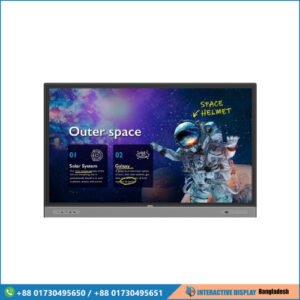
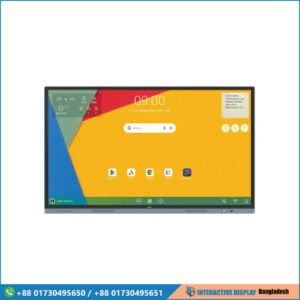
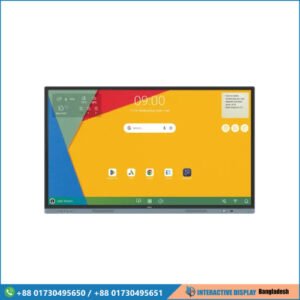
Showing all 7 results
BenQ Interactive Board Prices in Bangladesh 2026: Complete Buying Guide
Investing in an interactive flat panel display is one of the most critical upgrades an educational institution or modern enterprise can make. In 2026, the demand for BenQ interactive boards in Bangladesh has grown exponentially due to the shift toward hybrid learning, agile corporate workflows, and digital collaboration.
A BenQ flat panel touchscreen is not merely a monitor; it is a unified digital communication hub. Combining high-resolution 4K LED panels, multi-touch capacitive and infrared sensors, an integrated Android operating system, and cloud collaboration software, a BenQ display eliminates the need for outdated projector setups, messy whiteboards, and complicated cable connections.
BenQ Interactive Flat Panel Price Range in Bangladesh (2026 Price Table)
The following table provides an estimated overview of the BenQ smart board price in BD across different model series and screen dimensions. Actual prices may fluctuate based on global currency rates, current stock availability, and special B2B volume pricing.
| Model / Series | Screen Size | Resolution | Core Hardware & OS | Key Highlight Features | Estimated Price in BD (BDT) |
| BenQ RE6501 / RE6504 | 65 Inch | 4K UHD (3840×2160) | Android OS, 4GB RAM, 32GB Storage | Anti-Glare, Low Blue Light, EZWrite Whiteboard | ৳2,35,000 – ৳2,85,000 |
| BenQ RM6503 / RM6504 | 65 Inch | 4K UHD (3840×2160) | Android OS, 8GB RAM, 64GB Storage | Germ-Resistant Screen, Front Audio, Google EDLA | ৳3,20,000 – ৳3,60,000 |
| BenQ RP6503 / RP6504 | 65 Inch | 4K UHD (3840×2160) | Android OS, High-Performance Octa-Core | Air Quality Sensors (CO2/PM2.5), NFC Login, Subwoofer | ৳4,10,000 – ৳4,60,000 |
| BenQ RE7504 / RE7505 | 75 Inch | 4K UHD (3840×2160) | Android OS, 4GB/8GB RAM Options | Zero Bonding Touch, InstaShare 2 Wireless Casting | ৳3,45,000 – ৳3,95,000 |
| BenQ RM7503 / RM7504 | 75 Inch | 4K UHD (3840×2160) | Android OS, 8GB RAM, 64GB Storage | Certified Eye-Care, Cloud Whiteboard, Dual Pens | ৳4,15,000 – ৳4,75,000 |
| BenQ RP7503 / RP7504 | 75 Inch | 4K UHD (3840×2160) | Enterprise Android, 8GB RAM, 128GB ROM | Integrated Array Microphones, Dolby Audio, Health Sensors | ৳5,20,000 – ৳5,85,000 |
| BenQ RE8604 | 86 Inch | 4K UHD (3840×2160) | Android OS, 8GB RAM, 64GB Storage | Large Format Presentation, 40-Point Touch | ৳4,60,000 – ৳5,20,000 |
| BenQ RM8603 / RM8604 | 86 Inch | 4K UHD (3840×2160) | Android OS, 8GB RAM, 64GB Storage | Multi-User Collaboration, ClassroomCare®, Front USB-C | ৳5,80,000 – ৳6,60,000 |
| BenQ RP8603 / RP8604 | 86 Inch | 4K UHD (3840×2160) | High-End Enterprise Board | Full Sensor Suite, Premium Soundbar, EDLA Security | ৳6,80,000 – ৳7,40,000 |
| BenQ OPS PC Module | Plug-in Hardware | Up to 4K 60Hz | Intel Core i5 / i7, Windows 11 Pro | Converts Display into a Complete Windows Computer | ৳75,000 – ৳1,45,000 |
Core Engineering Advantages of BenQ Flat Panel Displays
When evaluating the BenQ interactive flat panel price in BD, understanding the hardware and proprietary software ecosystem clarifies why BenQ consistently outperforms standard commercial displays.
1. Ultra-Responsive Zero Bonding & Fine IR+ Touch
Traditional touchscreens often suffer from noticeable parallax—a visual gap between where the pen tip touches the glass and where the digital ink appears. BenQ utilizes advanced Zero Bonding technology paired with Fine IR+ optical sensors. This design reduces the air gap to near zero, providing immediate ink response, palm rejection, and dual-pen multi-color support that feels identical to writing with a marker on physical whiteboard surfaces.
2. ClassroomCare® Health & Ergonomics
In crowded academic and corporate environments, hygiene and eye comfort are vital:
- TÜV & SIAA Certified Germ-Resistant Screens: The outer glass layer is infused with a nano-ionic silver agent that kills 99.9% of bacteria and common pathogens upon contact, maintaining antimicrobial efficacy over years of heavy daily use.
- Smart Eye-Care Integration: BenQ displays feature hardware-level low blue light filters, flicker-free backlighting, and anti-glare tempered glass, reducing eye fatigue during lengthy lectures and corporate meetings.
- Environmental Sensors: Flagship models monitor ambient room conditions including carbon dioxide levels, particulate matter (PM2.5), relative humidity, and temperature, alerting facilitators when ventilation is needed to keep participants alert.
3. Native Cloud Ecosystem (EZWrite 6 & InstaShare 2)
BenQ flat panel touchscreens come bundled with enterprise-grade productivity software:
- EZWrite 6: A cloud-based interactive whiteboard application. Facilitators can write notes, import PDF/Office documents, load interactive templates, split the screen into multi-user zones, and save whiteboard sessions directly to Google Drive, Microsoft OneDrive, or local storage.
- InstaShare 2: A two-way screen mirroring application allowing up to 9 participants to share screens simultaneously from Windows laptops, macOS, iOS, Android, and ChromeOS devices, complete with touchback control and centralized session management.
4. Google EDLA Certification
The newest generation of BenQ interactive flat panels comes with official Google Enterprise Device Licensing Agreement (EDLA) certification. This integration provides native access to the Google Play Store, seamless Google Workspace synchronization (Google Docs, Drive, Sheets, Slides), and robust enterprise management through Google Admin Console.
Detailed Analysis of BenQ Interactive Flat Panel Series
Choosing the right BenQ interactive board in Bangladesh requires matching the appropriate series with your operational demands:
1. BenQ Essential Series (RE Series)
The RE Series represents an accessible entry point into professional interactive touchscreens. Engineered primarily for primary and secondary educational institutions, tuition academies, and internal corporate training rooms, the RE series focuses on core necessities: reliable 4K visuals, durable 9H tempered glass, fundamental eye safety, and responsive whiteboarding. For organizations balancing budget constraints without compromising display fidelity, the BenQ RE series price in BD delivers strong cost-to-performance value.
2. BenQ Master Series (RM Series)
The RM Series is designed for dynamic higher-education classrooms, university lecture halls, and fast-paced commercial conference rooms. It introduces front-facing high-output stereo speakers, front-accessible USB Type-C connectivity (supporting display, audio, touch, and 65W device charging via a single cable), and full germ-resistant glass treatments. The RM series remains the most versatile and popular line across public and private sector buyers in Bangladesh.
3. BenQ Pro Series (RP Series)
The RP Series is BenQ’s elite flagship line built specifically for executive boardrooms, corporate training centers, and premium smart auditoriums. In addition to high-tier computing performance, the RP series features integrated multi-microphone arrays for crystal-clear video conferencing, subwoofers for rich room acoustics, Near Field Communication (NFC) cards for instant personalized account logins, and real-time indoor air quality monitoring. While the BenQ RP series price in BD reflects its premium status, it delivers an all-in-one audiovisual presentation package.
Screen Size Selection Guide: Choosing for Your Space in BD
Selecting an improper display size can lead to eye strain for participants seated at the rear or overwhelming visual scale in compact rooms. Follow these practical dimensions when planning your setup:
- 65-Inch Interactive Displays: Best suited for compact meeting rooms, huddle spaces, and classrooms accommodating 10 to 25 people. Optimal viewing distance is between 5 to 15 feet.
- 75-Inch Interactive Displays: The universal standard for corporate boardrooms, university seminar rooms, and training institutes designed for 25 to 50 attendees. Optimal viewing distance ranges from 10 to 25 feet.
- 86-Inch Interactive Displays: Built for large corporate conference halls, executive boardrooms, and lecture halls holding 50 to 100 participants. The extensive 4K display surface allows split-screen multitasking with absolute legibility from 20 to 40 feet away.
- 98-Inch Interactive Displays: Tailored for large conference halls, government briefing rooms, and convention spaces where maximum visual impact and wide viewing angles are paramount.
Android vs. Windows OPS: Which Architecture Do You Need?
Every BenQ interactive flat panel operates natively on a customized, secure version of Android. For standard whiteboarding, YouTube playback, web browsing, document viewing, and wireless presentation, the built-in Android operating system operates independently without an external computer.
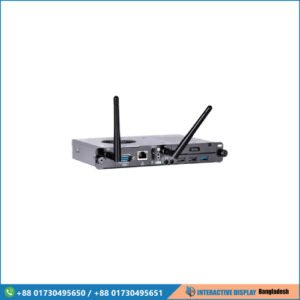
However, organizations relying heavily on Windows-specific legacy software, specialized CAD viewers, proprietary enterprise software, or dedicated corporate security configurations can install a slot-in OPS (Open Pluggable Specification) PC module. An OPS module slides directly into the rear slot of the BenQ flat panel, powering on automatically with the display and running full Windows 11 Pro without any visible power cords, HDMI cables, or USB routing.
Why Choose Interactive Display BD for Your BenQ Smart Board?
Interactive Display BD is a dedicated platform and technical supplier for visual presentation systems in Bangladesh. Sourcing your interactive flat panels through us provides distinct operational advantages:
- Competitive Pricing Structure: We offer structured BenQ interactive flat panel prices in BD, accommodating direct institutional procurement, corporate contracts, and retail orders.
- Authorized Quality Assurance: Every display is brand-new, factory-sealed, and backed by authorized manufacturer warranty terms protecting your hardware investment.
- Nationwide Delivery & Installation: Our skilled engineering team handles physical delivery, precision wall mounting or mobile trolley stand installation, cable management, and network configuration anywhere across the 64 districts of Bangladesh.
- Staff Training & Deployment Support: We conduct complete operational walkthroughs for your educators, IT administrators, and corporate managers, ensuring your team extracts immediate utility from EZWrite and InstaShare ecosystems.
- After-Sales Service & Maintenance: From firmware updates to hardware diagnostics, our local technical support desk ensures zero prolonged downtime for your operations.
Frequently Asked Questions (FAQs)
What is the starting BenQ interactive flat panel price in BD?
The price for an entry-level BenQ 65-inch interactive flat panel generally begins around BDT 2,35,000৳. Accessories such as modular OPS computers, motorized floor stands, and add-on smart cameras start from BDT 75,000৳ depending on specifications.
Can I use Microsoft Office files directly on a BenQ interactive board?
Yes. BenQ displays support native Microsoft Office file formats including Word (.docx), PowerPoint (.pptx), and Excel (.xlsx). You can open, annotate, edit, and save changes directly through the onboard Android system or via connected cloud drives.
Does a BenQ flat panel need a projector or external lamp?
No. Unlike traditional interactive whiteboards that rely on overhead projectors, BenQ interactive flat panels use direct LED backlighting. They deliver high brightness (typically 400 to 500 nits), crisp 4K UHD resolution, 178-degree viewing angles, and require no bulb replacements or routine optical calibrations.
Can multiple people write on the screen at the same time?
Yes. BenQ interactive touchscreens support 20 to 40 simultaneous touch points depending on the model, allowing up to four students or colleagues to write, draw, erase, and interact simultaneously without input lag.
How do users connect their laptops to the display?
Users can connect wired devices via front or rear HDMI and USB Touch ports, or through a single full-function USB Type-C cable that transmits video, audio, touch control, and laptop charging simultaneously. Wireless connection is also supported via InstaShare without plugging in any cables.
Request a Formal Quotation Today
Upgrade your conference room, training academy, or classroom environment with industry-leading interactive technology. Explore our verified collection of BenQ interactive flat panels above to compare model specifications, view detailed datasheets, and secure the best BenQ interactive display price in BD.
For customized institutional proposals, corporate tendering, or on-site demonstrations, get in touch with the Interactive Display BD consultation team today.